
10 Genius Office Desk Organization Ideas to Boost Your Productivity
In today's fast-paced work environment, whether you're working from home or in a corporate office, the state of your desk can significantly impact your productivity, focus, and overall well-being. A cluttered, disorganized workspace can lead to wasted time searching for important documents, increased stress levels, and diminished mental clarity. Conversely, a well-organized desk creates an environment conducive to deep work, creative thinking, and efficient task completion. This comprehensive guide will explore ten genius office desk organization ideas that can transform your workspace and help you achieve peak productivity.
Understanding the Connection Between Organization and Productivity
Before diving into specific organizational strategies, it's important to understand why desk organization matters so much. Research in organizational psychology has consistently shown that our physical environment directly influences our cognitive function and work performance. When your desk is organized, your brain doesn't have to expend mental energy processing visual clutter. This phenomenon, known as cognitive load, means that every item on your desk that's out of place is essentially competing for your attention.
A study conducted by Princeton University found that physical clutter competes for your attention, resulting in decreased performance and increased stress. When you eliminate unnecessary items and organize what remains, you free up mental resources that can be directed toward your actual work. This is why many successful professionals and entrepreneurs prioritize desk organization as a fundamental aspect of their productivity systems.
Furthermore, an organized desk sends a psychological signal to your brain that you're in control and prepared. This sense of control can boost confidence, reduce anxiety, and create a positive feedback loop where you're more motivated to maintain your organized space and continue being productive.
Idea 1: Implement a Vertical Storage System
One of the most effective ways to maximize your desk space is to think vertically. Most people focus on the surface area of their desk, but the vertical space above and around your desk represents untapped organizational potential. By implementing a vertical storage system, you can keep frequently used items within arm's reach while maintaining a clean desktop surface.
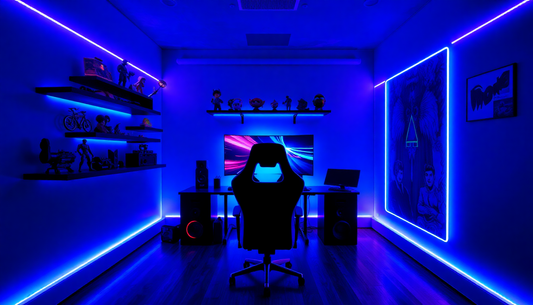
Wall-mounted shelves are an excellent starting point for vertical organization. These shelves can hold books, reference materials, decorative items, and supplies that you need regularly but don't necessarily need on your desk surface. The key is to choose shelves that complement your office aesthetic while providing practical storage solutions.
Another vertical storage option is a pegboard system. Pegboards are incredibly versatile and allow you to customize your storage layout based on your specific needs. You can attach hooks, baskets, and shelves to hold everything from writing instruments to headphones to small plants. The beauty of a pegboard is that you can easily rearrange items as your needs change.
Wall-mounted file organizers are particularly useful if you work with physical documents. These organizers typically have multiple slots or compartments, allowing you to sort documents by project, priority, or category. By keeping documents vertical and visible, you're less likely to lose important papers and more likely to remember what you have.
Consider also installing a floating desk shelf above your main desk surface. This shelf can hold your monitor, creating additional space below for your keyboard and other items. Alternatively, you can use this elevated shelf for items you need to reference frequently but don't need to access constantly.
Idea 2: Create Designated Zones for Different Activities
Your desk should function like a well-organized kitchen, with different zones designated for different activities. This zoning approach helps you mentally transition between tasks and ensures that everything you need for a particular activity is grouped together.
Start by identifying the main activities you perform at your desk. These might include computer work, writing, phone calls, creative projects, or administrative tasks. Once you've identified these activities, create physical zones for each one.
For example, your computer zone might include your monitor, keyboard, mouse, and any reference materials you need for digital work. Your writing zone might include your notebook, pens, pencils, and any paper-based materials. Your administrative zone might include your filing system, stamps, envelopes, and other office supplies.
The key to effective zoning is to keep each zone separate and to resist the temptation to blend them together. When zones are clearly defined, you can quickly locate what you need for each activity, and you're less likely to have items from one zone cluttering another zone.
You can create physical boundaries between zones using desk organizers, drawer dividers, or even simple visual markers like a small plant or decorative object. These boundaries help reinforce the mental separation between different work activities.
Additionally, consider the frequency with which you use items in each zone. Items you use constantly should be in your primary work zone, easily accessible without reaching. Items you use occasionally can be stored in secondary zones or in drawers. Items you rarely use should be stored away from your desk entirely.
Idea 3: Invest in Quality Desk Organizers and Drawer Dividers
Quality desk organizers and drawer dividers are foundational tools for maintaining an organized workspace. These items come in various styles, materials, and configurations, allowing you to find solutions that match both your aesthetic preferences and your organizational needs.
Desktop organizers typically include compartments for pens, pencils, scissors, and other small items. By consolidating these items into a single organizer, you prevent them from scattering across your desk surface. Look for organizers with multiple compartments so you can categorize items by type or function.
Drawer dividers are essential for maintaining order in desk drawers. Without dividers, drawers quickly become jumbled repositories where items get lost and tangled together. Dividers create distinct sections within each drawer, making it easy to locate items and maintain organization over time.
When selecting organizers and dividers, consider the materials available. Wood organizers offer a professional, warm aesthetic and work well in traditional office settings. Metal organizers provide a modern, industrial look. Plastic organizers are typically the most affordable and come in numerous colors and styles. Fabric organizers offer a softer appearance and work well in creative spaces.
The size of your organizers matters significantly. Organizers that are too small won't accommodate your items, while organizers that are too large will waste space. Measure your desk and drawers before purchasing, and consider how many items you need to store in each organizer.
One often-overlooked aspect of desk organizers is the importance of choosing ones that are easy to clean. Dust accumulates on organizers, so selecting ones with smooth surfaces that can be easily wiped down will help maintain a clean, professional appearance.
Idea 4: Establish a Paper Management System
For many professionals, paper remains a significant component of their work, despite the digital revolution. Managing paper effectively is crucial for maintaining an organized desk and ensuring that important documents don't get lost or forgotten.
Start by implementing a filing system that works for your specific needs. This might be a traditional filing cabinet, a desktop file organizer, or a combination of both. The key is to create clear categories for your documents and to establish a consistent filing system that you can maintain over time.
Consider using color-coded folders or labels to make your filing system more intuitive. For example, you might use red folders for urgent items, blue folders for ongoing projects, and green folders for completed projects. This visual system makes it easier to quickly locate documents and understand their status at a glance.
Establish a regular schedule for processing papers. Rather than letting papers accumulate on your desk, set aside time each day or week to sort through new papers and file them appropriately. This prevents paper from piling up and becoming overwhelming.
Implement a document retention policy that specifies how long you need to keep various types of documents. This helps you avoid keeping unnecessary papers that are just taking up space. Once a document has served its purpose and you've determined you no longer need it, shred it or recycle it.
Consider digitizing important documents. Scanning documents and storing them digitally can significantly reduce the amount of physical paper you need to keep. Many modern scanners can quickly process multiple pages, and document management software can help you organize and retrieve digital files efficiently.
Create an inbox system for incoming papers. Rather than letting papers scatter across your desk, have a designated inbox where all incoming papers go. Then, during your regular paper processing sessions, you can sort through the inbox and file documents appropriately.
Idea 5: Optimize Your Cable and Cord Management
In our increasingly digital world, most desks are surrounded by a tangle of cables and cords. These cables not only create visual clutter but can also be a safety hazard and make cleaning your desk more difficult. Optimizing your cable management is an often-overlooked but highly effective organizational strategy.
Start by identifying all the cables and cords on your desk. This might include power cables for your computer, monitor, and peripherals; USB cables for charging devices; and audio cables for speakers or headphones. Once you've identified all your cables, you can develop a strategy for managing them.
Cable clips and cable ties are simple but effective tools for organizing cables. These items hold cables together and prevent them from spreading across your desk. Velcro cable ties are particularly useful because they can be easily adjusted as your setup changes.
Consider using a cable management box or sleeve to bundle cables together. These boxes hide cables from view while keeping them organized and accessible. Cable management boxes come in various sizes and styles, so you can find one that fits your desk setup and aesthetic preferences.
Label your cables so you know which cable connects to which device. This is particularly helpful if you have multiple similar-looking cables. You can use small labels, colored tape, or cable tags to identify each cable.
Route cables along the back or underside of your desk rather than across the surface. This keeps cables out of sight and prevents them from interfering with your work. If your desk has cable management channels or trays, use these to organize cables neatly.
Consider investing in a power strip with built-in cable management. These power strips often include clips or channels that help organize cables and keep them tidy. Some advanced power strips even include USB ports, reducing the number of individual chargers you need.
Regularly audit your cables and remove any that are no longer in use. Old cables that are no longer connected to devices just create clutter and confusion. Dispose of them properly or donate them if they're still functional.
Idea 6: Create a Functional Filing and Reference System
Beyond just managing papers, creating a functional filing and reference system ensures that you can quickly access the information you need without cluttering your desk. This system should be intuitive, easy to maintain, and tailored to your specific work requirements.
Determine what types of information you need to reference regularly. This might include client information, project details, financial records, or industry research. Once you've identified these categories, create a filing system that accommodates them.
Use a combination of physical and digital filing systems. Physical files are useful for documents you need to reference frequently or that you prefer to work with in paper form. Digital files are ideal for documents you need to search through or share with others.
Implement a consistent naming convention for your files and folders. Whether you're organizing physical or digital files, consistent naming makes it easier to locate documents. For example, you might use the format: [Date]-[Project Name]-[Document Type].
Create a master index or table of contents for your filing system. This document lists all your file categories and subcategories, making it easy to understand your system and locate documents. Keep this index accessible, either printed and posted near your desk or saved digitally where you can quickly reference it.
Establish a regular maintenance schedule for your filing system. Set aside time each month to review your files, remove outdated documents, and ensure that everything is properly organized. This prevents your system from becoming outdated or cluttered over time.
Consider using a tickler file system for documents that require action on specific dates. A tickler file typically consists of 31 folders (one for each day of the month) plus 12 folders (one for each month). Documents that require action on a specific date are placed in the appropriate folder, ensuring that you don't forget important tasks.
Idea 7: Implement a Digital Organization System
While this guide focuses on physical desk organization, your digital workspace is equally important for overall productivity. A well-organized digital system complements your physical organization and ensures that you can efficiently manage both physical and digital information.
Start by organizing your computer desktop. Rather than having numerous files and folders scattered across your desktop, create a clear folder structure that mirrors your physical filing system. Keep your desktop clean by moving files into appropriate folders and removing shortcuts you no longer use.
Create a consistent folder hierarchy for your documents. A typical structure might include folders for different projects, clients, or departments, with subfolders for specific document types. The key is to create a structure that makes sense for your work and that you can maintain consistently.
Implement a naming convention for your digital files that makes them easy to search and sort. Include relevant information in the filename, such as the date, project name, and document type. For example: 2026-05-05-ProjectName-ProposalDraft.
Use cloud storage services like Google Drive, Dropbox, or OneDrive to organize and back up your important documents. Cloud storage provides several advantages: it allows you to access your files from any device, it provides automatic backups, and it makes it easy to share files with colleagues.
Organize your email inbox using folders and labels. Create folders for different projects, clients, or categories, and move emails into these folders as you process them. Many email clients also support labels or tags, which allow you to categorize emails in multiple ways.
Set up email filters and rules to automatically organize incoming emails. For example, you might create a rule that automatically moves emails from a specific client into a designated folder. This reduces the amount of manual sorting you need to do.
Regularly clean up your digital files and folders. Delete files you no longer need, archive old projects, and remove duplicate files. A clean digital workspace is just as important as a clean physical workspace.
Idea 8: Establish a Daily Desk Maintenance Routine
Even the most beautifully organized desk will gradually become cluttered if you don't maintain it regularly. Establishing a daily desk maintenance routine ensures that your organizational system remains effective over time.
Start each day by clearing your desk of items that don't belong there. Spend five to ten minutes returning items to their designated locations and removing any clutter that accumulated the previous day. This sets a positive tone for the day and ensures you start with a clean workspace.
At the end of each day, spend a few minutes tidying your desk. File away documents, return supplies to their organizers, and clear your desk surface of unnecessary items. This end-of-day routine ensures that you start the next day with a clean slate and helps you mentally transition out of work mode.
Implement a weekly deep-clean routine where you thoroughly clean your desk, including wiping down surfaces, cleaning your keyboard and mouse, and organizing any items that have accumulated. This weekly maintenance prevents dust and clutter from building up.
Establish a monthly review of your organizational system. During this review, assess whether your current system is working effectively. Are there items that are frequently out of place? Are there categories that need adjustment? Use these insights to refine your system.
Create a checklist for your daily and weekly maintenance routines. Having a written checklist ensures that you don't forget any steps and helps you maintain consistency. You can post this checklist near your desk or set reminders on your phone or computer.
Make desk maintenance a non-negotiable part of your routine. Just as you wouldn't skip brushing your teeth, don't skip your desk maintenance. These few minutes of daily and weekly maintenance will save you hours of frustration and lost productivity.
Idea 9: Personalize Your Space While Maintaining Organization
An organized desk doesn't have to be sterile or impersonal. Adding personal touches to your workspace can boost morale, increase motivation, and make your desk a place where you actually enjoy spending time. The key is to personalize your space in a way that doesn't compromise organization.
Choose a few meaningful items to display on your desk. This might include a photo of loved ones, an inspiring quote, a plant, or a small piece of art. Rather than cluttering your desk with numerous personal items, select a few that are truly meaningful to you.
Use plants to add life and color to your workspace. Plants not only improve the aesthetic appeal of your desk but also provide health benefits, including improved air quality and reduced stress. Choose low-maintenance plants that can thrive in an office environment, such as pothos, snake plants, or succulents.
Select desk accessories that are both functional and aesthetically pleasing. Rather than choosing generic organizers, look for ones that match your personal style. Whether you prefer minimalist designs, colorful options, or vintage aesthetics, there are organizational products available to match your preferences.
Create a vision board or inspiration wall near your desk. This can include images, quotes, or goals that inspire you and keep you motivated. A vision board serves as a daily reminder of your objectives and can boost productivity and focus.
Choose a color scheme for your desk that you find calming and inspiring. This might include the colors of your organizers, desk accessories, and any decorative items. A cohesive color scheme creates a more polished, organized appearance.
Display your accomplishments and awards. If you have certificates, awards, or recognition items, displaying them can boost confidence and motivation. These items serve as reminders of your achievements and can inspire you to continue performing at a high level.
Remember that personalization should enhance, not detract from, organization. Every item on your desk should either serve a functional purpose or bring you genuine joy. Avoid accumulating items just because they're cute or interesting if they don't align with these criteria.
Idea 10: Adapt Your System Based on Your Work Style
The final genius organization idea is to recognize that there's no one-size-fits-all approach to desk organization. The most effective organizational system is one that aligns with your specific work style, preferences, and needs.
Take time to reflect on how you work. Are you someone who prefers everything visible and within reach, or do you prefer a minimalist desk with items stored away? Do you work on multiple projects simultaneously, or do you prefer to focus on one project at a time? Are you naturally organized,